Guide
Connect Wolog to Claude
Wolog has a built-in connector for Claude. Once connected, Claude can create routines, build multi-day programs, and analyze your training history — right from a chat. New routines show up in the app on the next sync.
Works with every Claude plan, including Free. Add it on claude.ai or in the Claude desktop app, then use it in the Claude iPhone and Android apps too.
Step 1
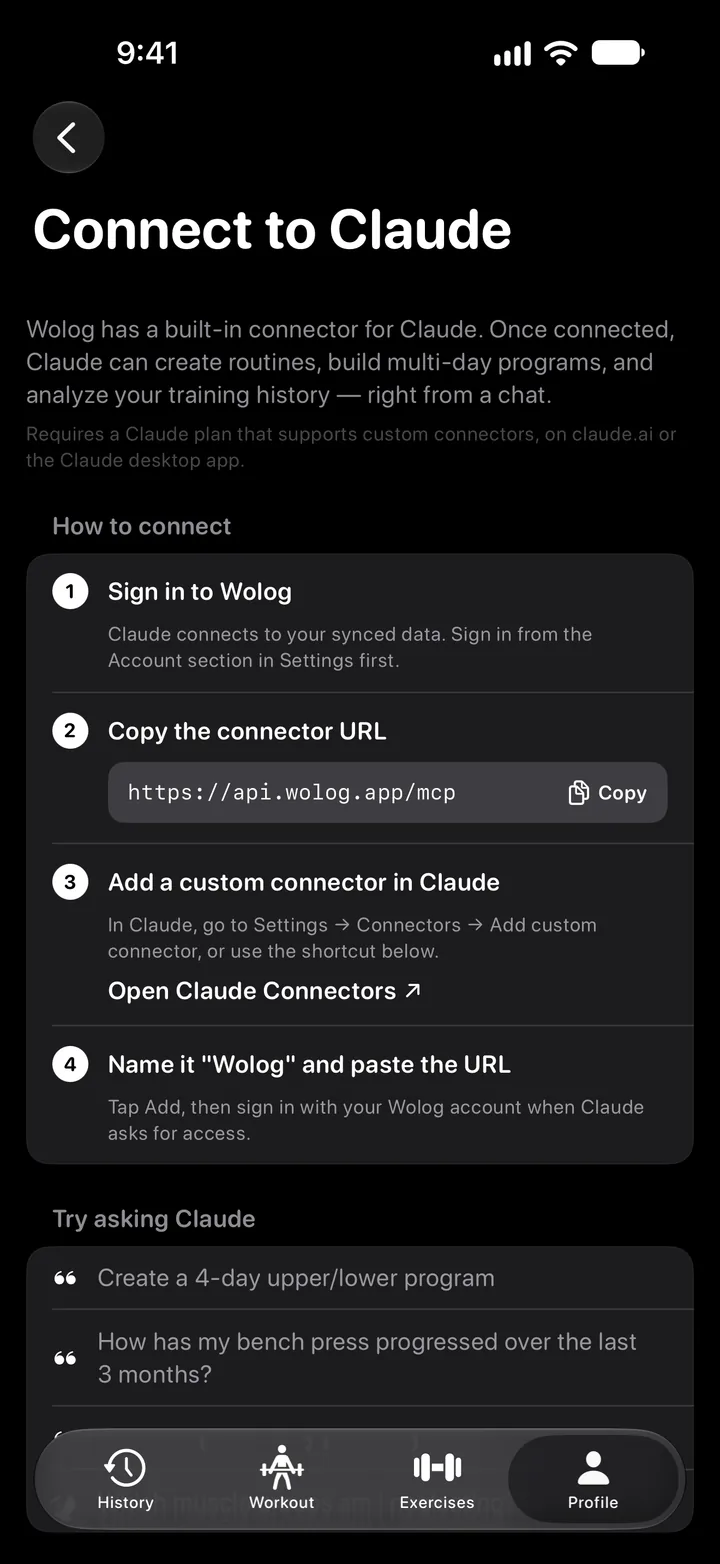
Sign in to Wolog
Claude works with your synced data, so sign in first: Profile → Settings → Account. Under Integrations, Connect to Claude has these same steps and the URL ready to copy.
Step 2
Copy the connector URL
This is the address of the Wolog connector. Copy it here or in the app.
https://api.wolog.app/mcpStep 3
Add a custom connector in Claude
In Claude, open Customize → Connectors, tap + and choose Add custom connector. Name it Wolog, paste the URL and tap Add.
Open Claude ConnectorsStep 4
Allow access
Claude opens a Wolog page. Sign in with the same Apple or Google account you use in the app and tap Allow. Claude asks permission to:
Step 5
Ask Claude
Talk about your training in plain words. Programs and routines Claude creates show up in the app after the next sync.
Try asking Claude
- How has my bench press progressed over the last 3 months?
- Add face pulls to my push day routine
- Which muscle groups am I neglecting?
Build me a 4-day program to grow my bench. Use my last 3 months.
Claude
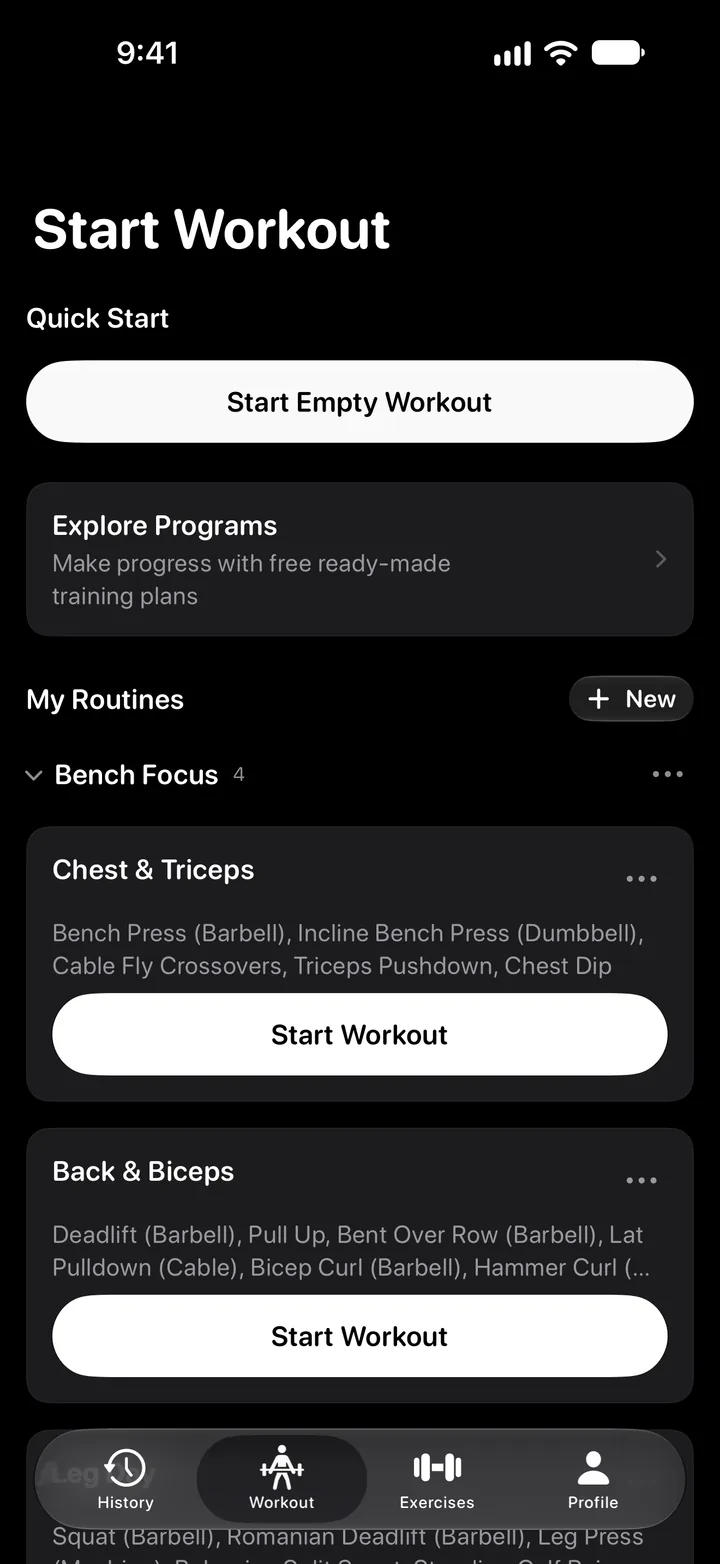
Your bench went from 67.5 to 85 kg in 3 months. I built “Bench Focus” — 4 routines with a heavy and a volume pressing day.
Added to Wolog · 4 routines
Bench Focus4
- Chest & Triceps
- Back & Biceps
- Leg Day
- Shoulders & Core
Questions
- What can Claude see?
- Only what's synced to your Wolog account: routines, completed workouts and the training profile from onboarding — goals, experience, equipment and training days.
- Can Claude change my data?
- Claude creates and edits routines and folders when you ask it to. Your workout history stays read-only.
- How do I disconnect?
- Remove Wolog in Claude under Customize → Connectors. Claude no longer has access to your account.
- Which Claude plan do I need?
- Any plan: Free, Pro, Max, Team or Enterprise. On Free you can add one custom connector. On Team and Enterprise, an organization owner adds Wolog first (Organization settings → Connectors), then you connect it under Customize → Connectors. Set it up on claude.ai or in the desktop app; once added, it works in the Claude mobile apps as well.
Don't have Wolog yet?